Hardware
Intro
Proxmox is open-source and free-to-use software if you're looking to run multiple virtual machines (VMs) and Linux containers (LXC) on a single server. With this type 1 hypervisor, you can host different applications on different operating systems one host machine.
Minimum PC requirements for Proxmox
If you have a secondary PC that you'd like to install Proxmox on instead of buying a new one, you can do that. Most recent systems with CPUs that support virtualization (Intel VT/AMD-V) will work.
However, if it is an underpowered machine, you couldn't install multiple virtual machines, or if the virtual machine you're trying to install is resource-intensive, your existing machine would underperform or could fail to support that.
To answer your question, here's the minimum requirement for Proxmox:.
- Intel EMT64 or AMD64 with the Intel VT/AMD-V CPU flag 64-bit CPU
- A minimum of 4 GB of RAM (for better performance, 8GB of RAM is recommended).
Best mini PC options for Proxmox VE
Based on hands-on experience and extensive research, I've picked the best mini PC for Proxmox home server.
Minisforum MS-01 with 10 Gbps Ethernet.
Key Specs:
- CPU: Intel Core i9-13900H
- RAM: Maximum 96GB DDR5
- Graphics: Intel UHD 770 Graphics
- Storage: Nvme / SSD
The Minisforum MS-01 is the beast of a mini PC and is for those who want ultimate performance.
It is powered by the top-end Intel Core i9-13900H and comes with DDR5 memory, which is expandable up to 96GB out of the box.
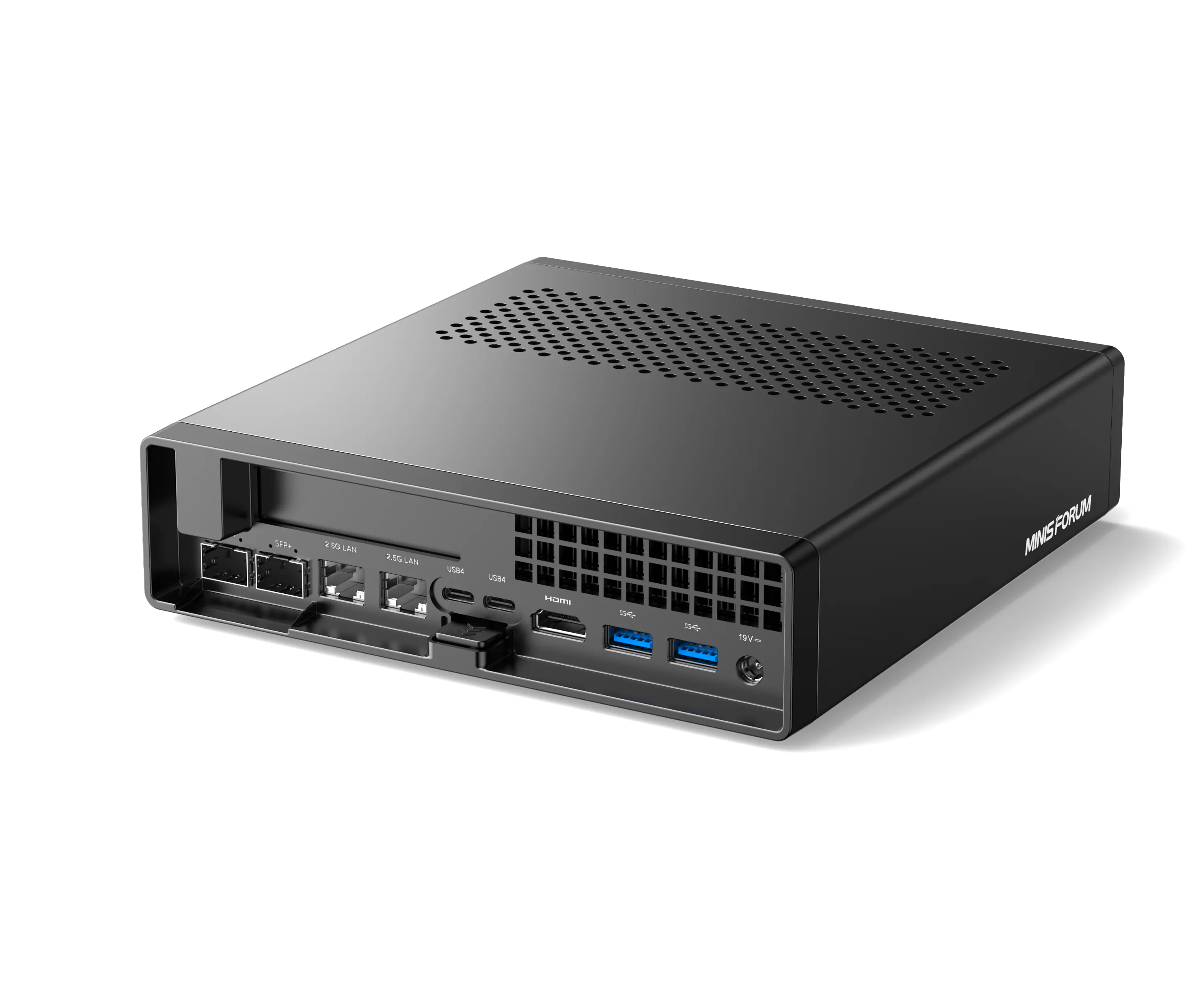
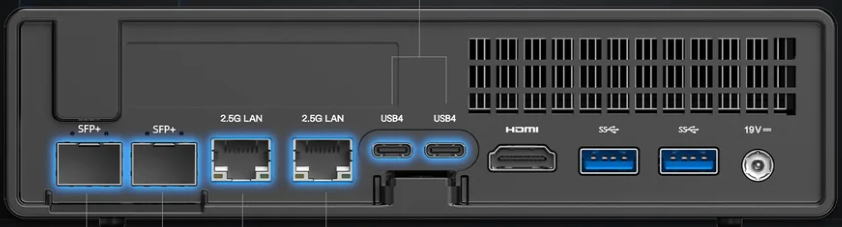
This mini PC also offers 2x 10Gbps Ethernet SFP+, 2 USB4 and dual 2.5G RJ45 ports, supporting 3 M.2 NVME with RAID 1 and RAID 0 support.
This mini PC has a PassMark score of 29,403, which is also perfect for transcoding 4K HDR movies and TV shows on Plex.
However, since the CPU is a hybrid, you'll need to allow the boot parameter for efficient cores on the CPU or disable them altogether - only if you have issues with Proxmox (rare).
Aside from that, this mini PC has a PCIe 4.0 x16 slot, 3x USB3.0 type-A ports, 2x USB2.0 type-A ports, and 1x HDMI2.0 ports (4K@60Hz), +2x USB4 40Gbps Type-C (Alt DP, 8K at 30Hz).
The is a barebone Minisforum MS-01 so it will require additional components for build out.
For the complete setup following components/costs to get started:
- Minisforum MS-01 at € 759.99.
- Crucial RAM 96GB Kit (2x48GB) DDR5 at € 238.81.
- Crucial P3 Plus 2TB PCIe Gen4 NVMe M.2 at € 124.99.
- Crucial P3 Plus 4TB PCIe Gen4 NVMe M.2 at € 269.99.
- SABRENT M.2 SSD NVMe PCIe Adapter at € 18.21.
- UPERFECT Draagbare Monitor at € 239.99.
- UACC-CM-RJ45-10G-MG at € 74.96
- Ubiquiti UniFi Switch Flex XG at € 321.85
- Proxmox VE Community Subscription 1 CPU/year at € 133.10
Why are mini PCS best for Proxmox home servers?
Mini PCs are the perfect choice for running Proxmox Virtualization Environment for the following reasons:
- Energy efficient: Mini PCs run on low power compared to servers and other computing devices; moreover, they're very silent as they use low-noise fans or are passively cooled, which makes this a perfect choice to use as a Proxmox home server. You can keep this running for years without any disturbance and also incur only a fraction of the electricity bill that you'd otherwise get with other computing devices.
- They're compact: Mini PCs, as the name suggests, are very small in size, which means they don't take up too much room, and you can set them up and place them in any corner of the room. They make perfect small form factor Proxmox servers.
- Solid performance: Mini PCs come in different variants at different prices. And depending on your usage and the variant, your ROI in terms of investment and performance is significantly greater. For low usage, you can buy an affordable mini PC, and it will offer significantly more performance than you hoped for. For hard-core usage, you can opt for a higher-end variant, and it will suffice.
BIOS Setup
- Boot into the BIOS and click through all the options, disabling ASPM anywhere it is mentioned (Active State Power Management). If you're running this as a server, you don't want devices going into low power states which can hypothetically cause performance or stability issues with said devices.
- Optionally configure boot devices and boot order.
Hardware Setup
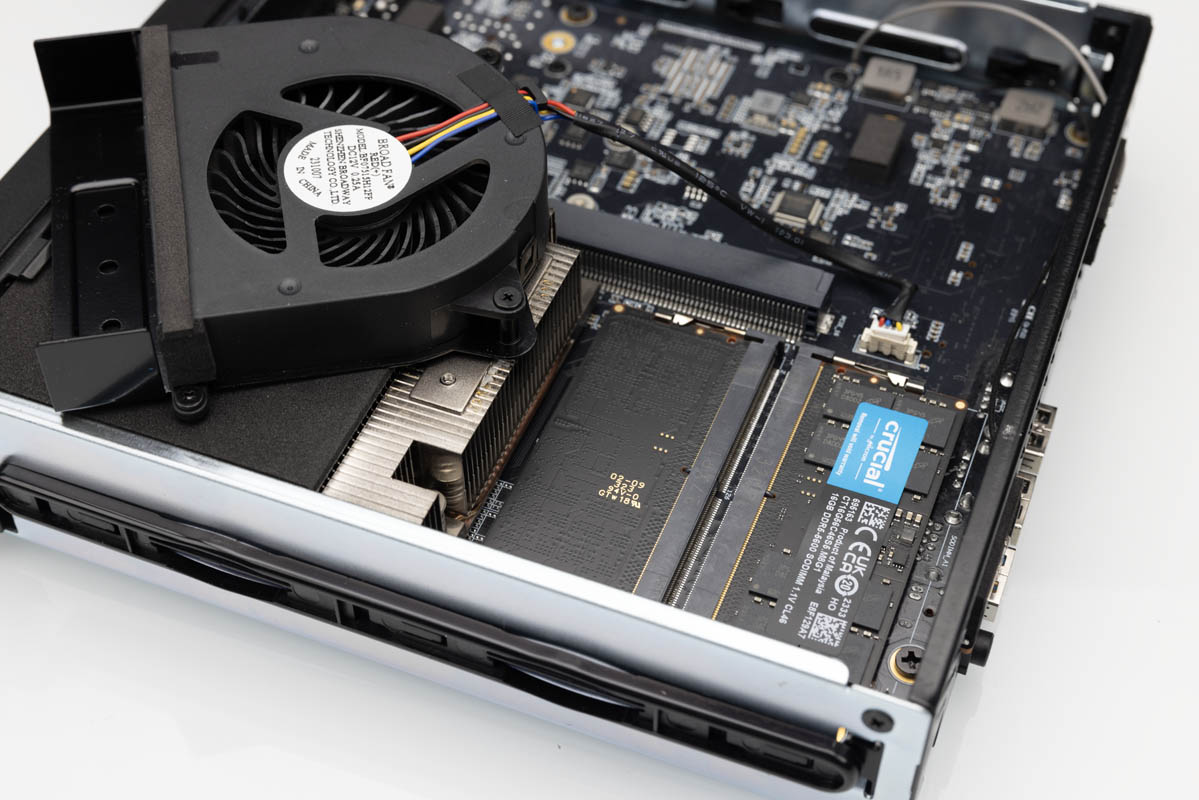
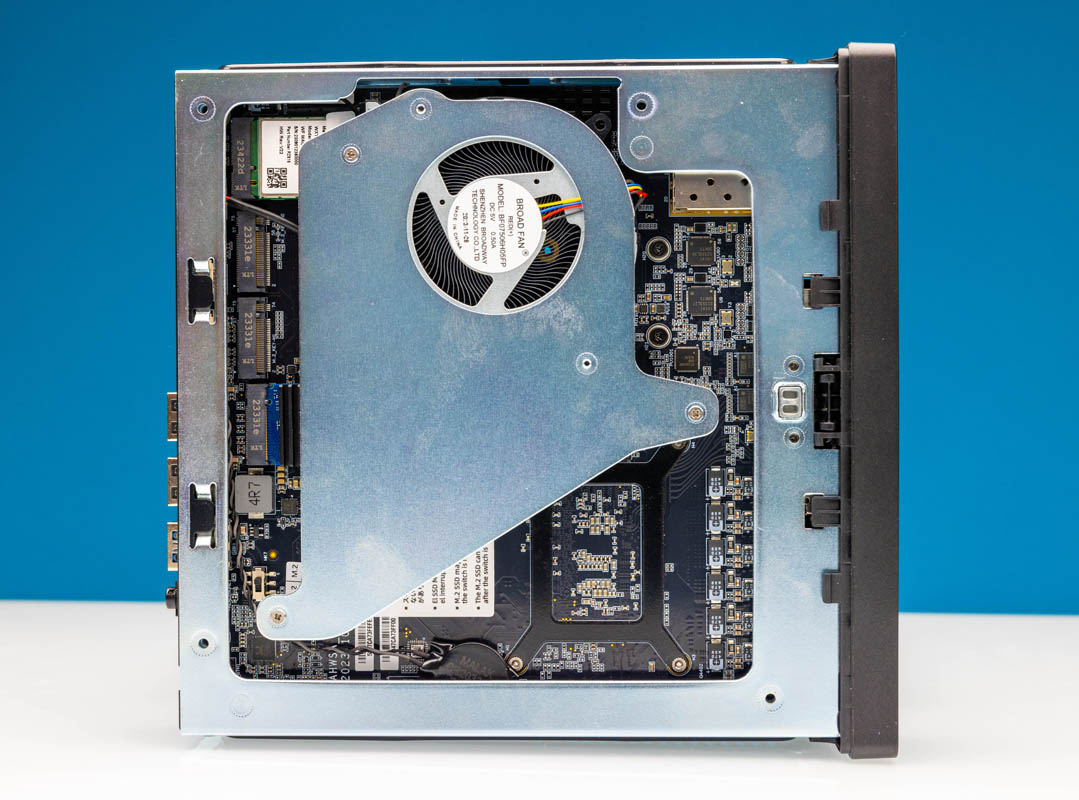
- Install RAM and NVMe disks
First Steps
- If there is a BIOS update, make sure you are on the latest version. At this time, the latest version is 1.26V.
- Install Proxmox. I'm not explaining this one. Read the docs and decide what disk(s), etc. you want to use for this.
- IMPORTANT! For the MS-01 13900H version, currently you need to run the latest Intel microcode to solve stability issues.
- Check current running version of Intel microcode:
grep -E 'stepping|model|microcode' /proc/cpuinfo - Add non-free-firmware repo:
echo "deb http://ftp.debian.org/debian bookworm main contrib non-free-firmware" > /etc/apt/sources.list.d/non-free-firmware.list - Update apt:
apt update && apt install -y intel-microcode - Check current running version of Intel microcode:
grep -E 'stepping|model|microcode' /proc/cpuinfo - At this time, mine shows 0x411C. I have never had a single occurance of freezing or locking up, and I've been running Proxmox 24/7 for several months.
-
Please Note
This method applies during OS load, so if you reinstall Proxmox you will need to redo these steps. Once a BIOS update is available, this should be applied at the BIOS level and we can skip these steps (hopefully, eventually). -
Optionally, if you want to make sure ASPM is disabled after loading the OS. You could also add this into crontab as a post boot task.
grep -l -F '' /sys/bus/pci/devices/*/link/*pm | xargs -I {} sh -c "echo '0' > {}"- If you're like me and have an Enterprise subscription to Proxmox, do the steps to disable the no-subscription repo and enable the Enterprise apt repo. CLI or UI, your choice :)
- Same is for the Ceph no-subscription repo if you are going to install Ceph.
- Set up any disks you are going to use for local storage. If you're going to be clustering, you may want to hold off and do shared storage a bit later, after getting networking and clustering done.