Install Portainer EE
Deploy Portainer and Portainer Agent using Docker Compose
Setting up Portainer and Portainer Agent with Docker Compose simplifies container management, enabling efficient multi-host monitoring, centralized control,>
Portainer offers a web-based user interface that simplifies the management of Docker environments and Kubernetes clusters, making it an attractive option fo>
Setup Portainer on Docker Swarm
-
We download the official yaml script from Portainer for the Enterprise Edition.
-
The portainer-agent-stack.yml file as seen below can be used directly without modifications to the swarm.
version: '3.2' services: agent: image: portainer/agent:2.21.5 volumes: - /var/run/docker.sock:/var/run/docker.sock - /var/lib/docker/volumes:/var/lib/docker/volumes networks: - agent_network deploy: mode: global placement: constraints: [node.platform.os == linux] portainer: image: portainer/portainer-ee:2.21.5 command: -H tcp://tasks.agent:9001 --tlsskipverify ports: - "9443:9443" - "9000:9000" - "8000:8000" volumes: - type: bind source: /mnt/docker-storage/portainer target: /data networks: - agent_network deploy: mode: replicated replicas: 1 placement: constraints: [node.role == manager] networks: agent_network: driver: overlay attachable: true volumes: portainer_data: -
Deploy Portainer as stack to the swarm on the Master node.
-
Verify that Portainer has been deployed.
-
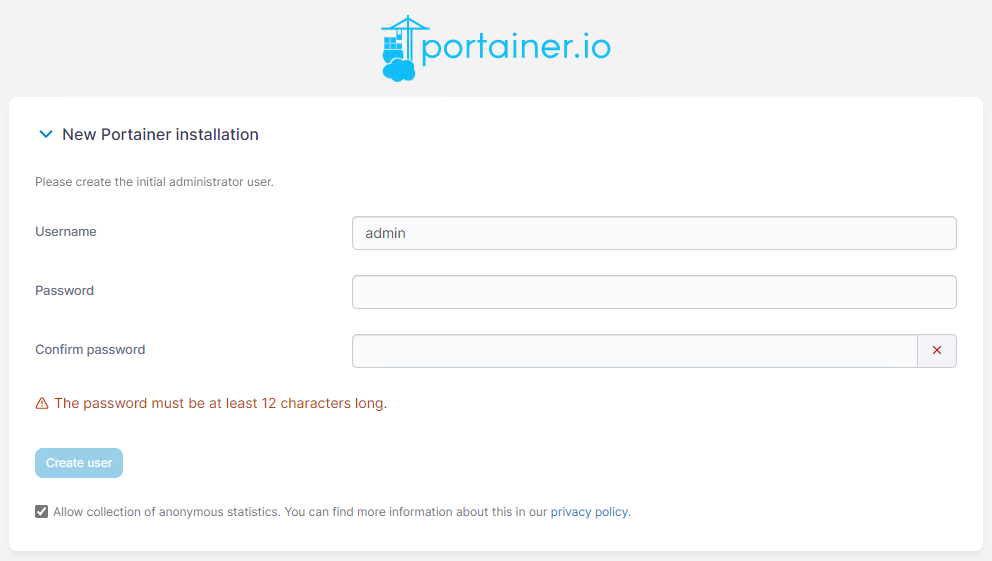
Login to Portainer via https://localhost:9443 or https://yourhostname:9443 and setup passwords etc.
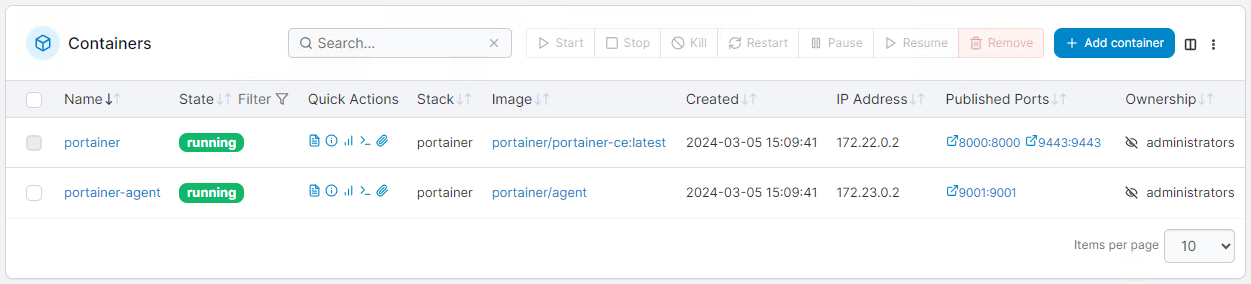
You should now have Portainer and Portainer in the same stack.
Conclusion
Congratulations! You have successfully installed Docker Swarm and Portainer on your Ubuntu 24.04 servers. You have learned how to deploy, scale, and remove >
Remember, Docker Swarm is just one of the many tools available to help you streamline your development and deployment processes.